Live demo: smartqueue-rho.vercel.app | Video demo: YouTube
The Problem
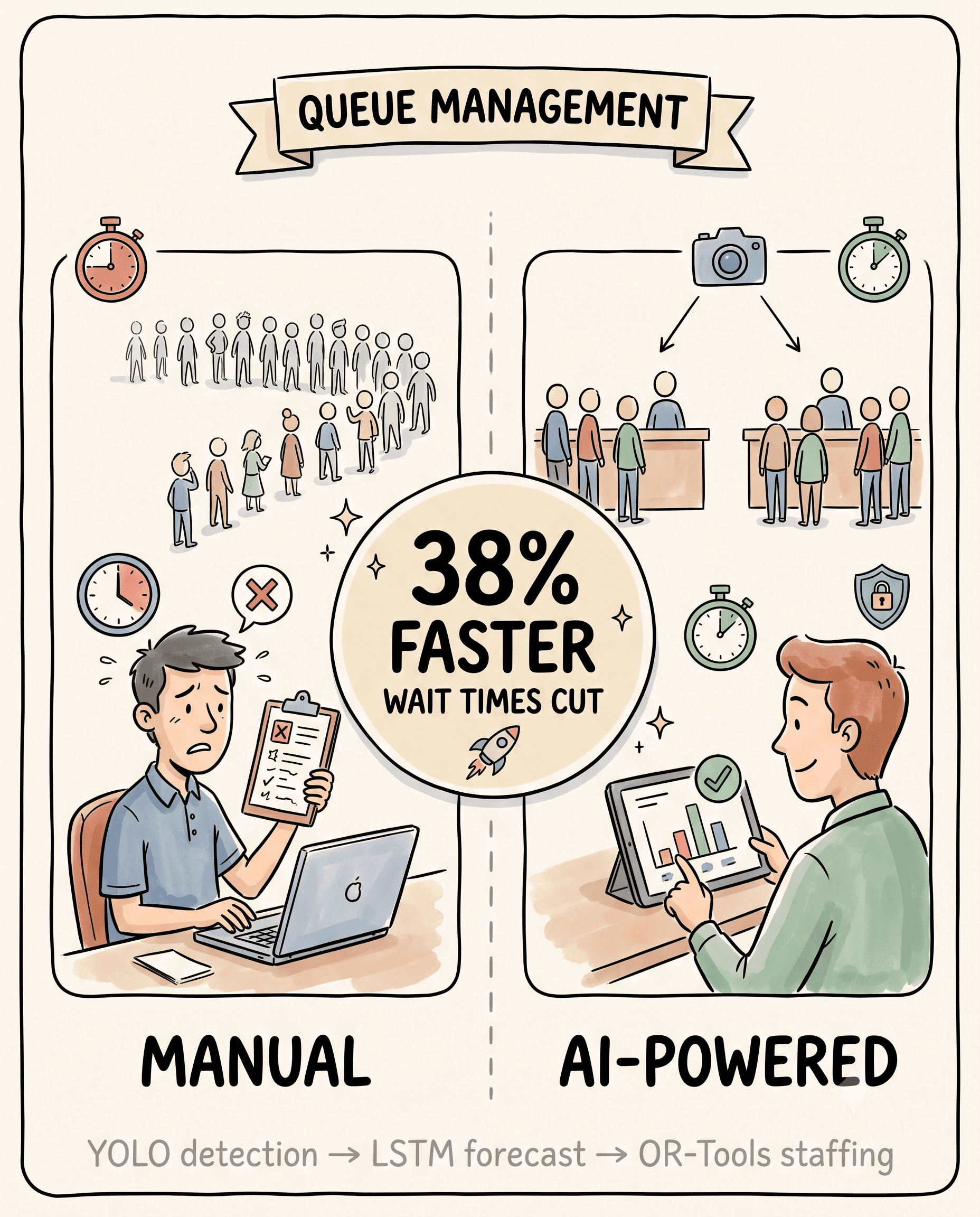
Queues are one of those everyday frictions that most systems still treat as static. Staff schedules are fixed, counter allocation is manual, and by the time a bottleneck is visible to a manager, customers have already been waiting in it for ten minutes. I wanted to build something that closed that gap — a system that could see a queue forming, forecast where it was headed, and recommend a fix before it became a problem.
That idea became Smart Queue AI: an end-to-end system that watches queues through a camera feed, predicts crowd flow up to 15 minutes ahead, and recommends staff reallocation in real time.
Architecture
I designed and built the full stack myself — from the computer-vision layer to the cloud deployment:
| Layer | Technology |
|---|---|
| Queue Detection | YOLO (camera feed → live people count) |
| Prediction | LSTM (15-minute demand forecast) |
| Optimization | OR-Tools (staff allocation recommendations) |
| AI Engine | Python + Flask |
| Backend | Node.js + Express + MongoDB |
| Frontend | Next.js + TypeScript |
| Database | MongoDB Atlas |
| Deployment | Azure Container Apps + Vercel |
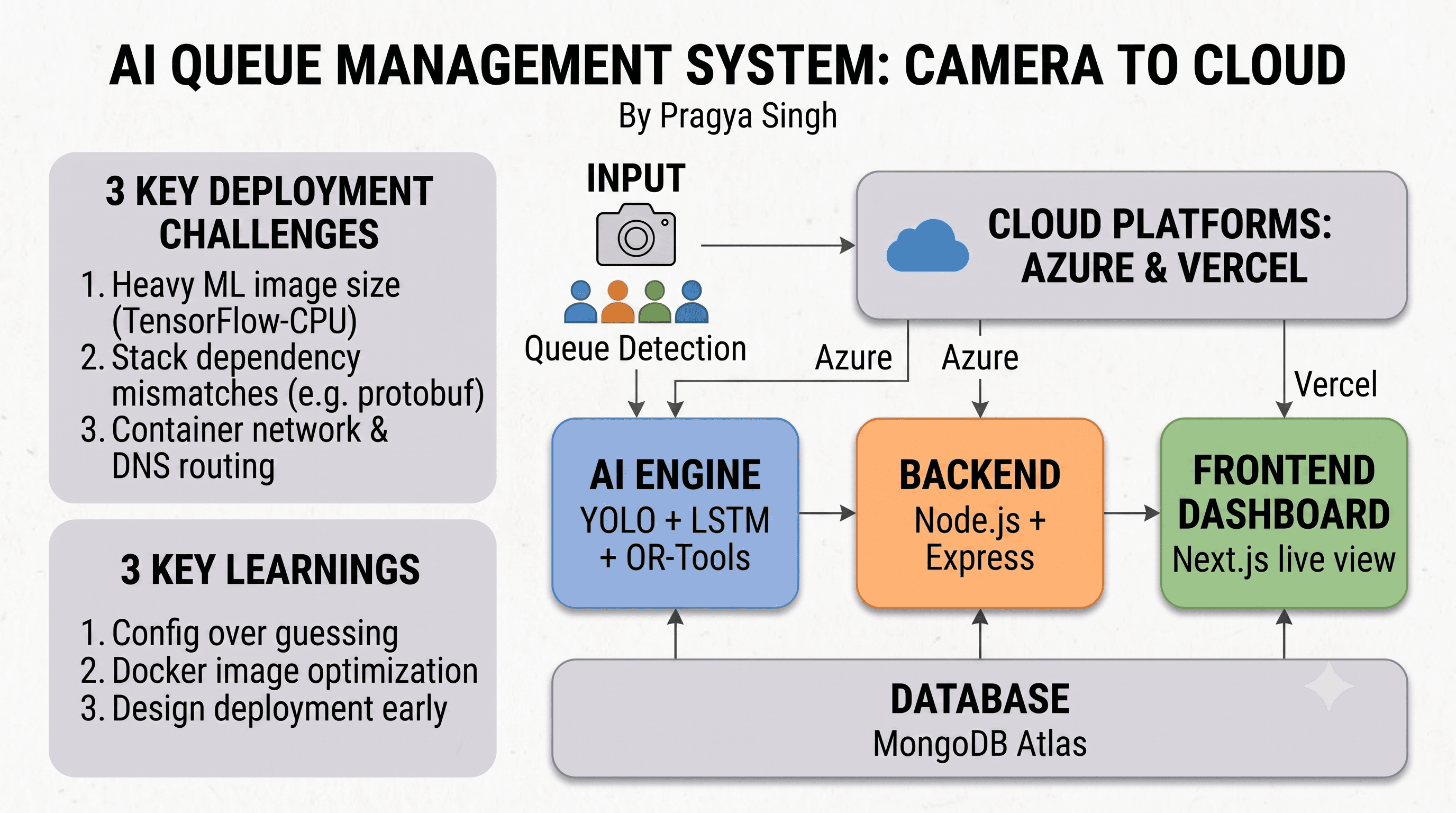
The pipeline is straightforward to describe and considerably harder to build: a camera feed is passed to YOLO for real-time people detection, counter-level queue states are calculated from that, an LSTM model forecasts near-term congestion from the time-series data, and OR-Tools turns those forecasts into concrete staffing recommendations — move a person to Counter 2, open a new counter, and so on. Everything surfaces on a live dashboard for supervisors.
Engineering Challenges
The AI models were the easy part. Getting three independent systems and three services to work together reliably in production is where the real engineering happened.
Unifying three AI systems. YOLO, LSTM, and OR-Tools each expect different data formats, run on different timing assumptions, and fail in different ways. I built a Flask-based AI engine as a single internal interface: it ingests camera frames, runs detection, feeds the counts into the LSTM model, and passes the resulting predictions to the optimizer — all behind one clean API, so the three components stay decoupled from each other.
Real-time inference latency. Running LSTM inference on live data without introducing lag meant the model couldn't afford to be heavy. I optimized the architecture for speed over complexity, used a sliding 15-minute window for forecasting, and kept inference asynchronous within the Flask server so it never blocked incoming requests.
Service-to-service reliability. With three services talking to each other — AI engine, backend, and frontend — I needed a contract that wouldn't break under partial failure. I defined a clear REST API between each layer and used MongoDB as a shared state store, so the dashboard always renders fresh data even if the AI engine is momentarily busy.
Azure port mismatches. Containers were listening on one port while Azure Container Apps expected another, causing silent startup failures. Fixed by explicitly setting PORT and AI_ENGINE_PORT environment variables in every container config, removing the ambiguity.
A 7GB+ container image. TensorFlow, OpenCV, and OR-Tools together ballooned the AI container past 7GB, making deploys slow and occasionally hitting platform limits. I switched to tensorflow-cpu, replaced opencv-python with opencv-python-headless, tightened dependency pins, and added a proper .dockerignore to strip out dev files.
Dependency conflicts. TensorFlow and OR-Tools wanted incompatible versions of protobuf, which produced runtime crashes that were genuinely hard to trace back to their source. The fix was tedious but simple: pin compatible versions across the whole stack and test them together in isolation before rebuilding.
Internal DNS failures on Azure. The backend couldn't resolve the AI engine's internal address, so requests were silently timing out. I pointed the backend to the AI engine's external FQDN — Azure's public ingress URL — to bypass the internal DNS issue entirely.
MongoDB connection races. Requests were occasionally hitting the backend before the database connection had finished initializing, causing early crashes. I implemented a DB-wait-before-serve pattern so the server only starts accepting traffic once MongoDB confirms it's ready.
Deployment
The AI engine and backend run on Azure Container Apps, which handles auto-scaling and managed ingress without extra configuration. The frontend deploys to Vercel, giving instant, CDN-backed deploys with a single command.
Results
On the live dashboard, the system reports:
- 38% reduction in average waiting time
- 29% improvement in staff utilization
- 41% improvement in overall operational efficiency
- Designed to scale across multiple sites for retail, public service, and smart-city deployments
What I Learned
Integration is the product. YOLO on its own is a solid detector. YOLO, LSTM, and OR-Tools working together as one coherent pipeline is what actually solves the problem.
Design for deployment from day one. Most of the cloud issues I hit — port mismatches, DNS resolution, image size — could have been avoided with earlier planning rather than late-stage firefighting.
Most "cloud problems" are configuration problems. Explicit environment variables, pinned dependencies, and correct port configuration eliminate the majority of production surprises.
Dependency management in ML projects is a distinct skill. Chasing a protobuf conflict between TensorFlow and OR-Tools taught me to pin and test dependency versions early, every time — not after something breaks in production.
Container size needs planning, not cleanup. ML dependencies are heavy by default. Choosing headless and CPU-only variants from the start is far cheaper than trimming a bloated image after the fact.
Final Thoughts
This project pushed across the entire stack — training and integrating models, building REST APIs, designing a live dashboard, and shipping a real cloud deployment. The AI is maybe 20% of the total effort. The rest — the plumbing, the configuration, the service contracts — is what actually determines whether the product works.
If you're building something similar: own the full picture, not just the model.
Try it: smartqueue-rho.vercel.app | Watch demo: YouTube